Link AI for A-dec+ demo
Duration 7:15This video walks through the platform’s unified inbox, AI-powered call handling, automated patient outreach, office optimizer, and guided implementation process.
Learn how Link AI for A‑dec+ helps dental practices streamline patient communication, reduce missed opportunities, and make smarter use of practice data.
See how Link AI brings phone, text, email, web chat, PMS data, and patient follow-up into one connected workflow so your team can spend less time managing routine communication and more time supporting the patients in front of them.
Video transcript
Hello, and welcome to Link AI for A‑dec+, a purpose built platform designed to help dental practices run more efficiently by bringing all their patient communication and practice intelligence into one place.
Over the next few minutes, I'll show you how Link AI unifies your phone, text, email, and web chat into a single inbox, how the AI handles routine calls and patient interactions around the clock, and how the Office Optimizer gives your team real answers from your own PMS data without running a single report.
By the end of this, you should have a clear picture of where Link AI fits into your practice and what it would look like to get started. Let's dive in.
This is the inbox. Every call, text, web chat, and email your practice receives lives right here in a single view. No switching between a phone system, a texting app, and an email tab, all of it stored in one place.
What makes this powerful for the front desk is the thread view.
Every interaction with the patient, whether they called in last week, text in yesterday, or just filled out a web chat form, is visible in one conversation history. Your staff always knows the full context before they respond.
And because calls are automatically transcribed, you don't need to take notes or rely on memory. You can pull up exactly what was said in any call right here in the thread.
Other notable things about the inbox, you can send forms directly directly from your device. We can also load in new patient intake forms, medical health questionnaires, or other things of that nature, and send them to patients directly. You can also load in templates if there's messages you send frequently such as promotions or other things of that nature.
All of the patient information is in the top right of the field and this mirrors exactly what's in your PMS as well. You're also able to call patients directly from the screen. Even if it's with a cell phone from your practice, you can dial out from your office number.
Now here's where it gets interesting. When a patient calls in, whether it's after hours, during lunch, or when the front desk is with another patient, the AI can answer. Not a voicemail, not a hold queue, an actual AI that can identify the patient, understand what they need, and take action. If they want to book an appointment, it books it directly into your PMS.
If they have an insurance question, it answers from the settings you've configured. If it can't handle something, it transfers to staff or takes a message and routes it into the inbox for follow-up. On the left hand side, you'll see a task section. This is designated for when the AI cannot solve a problem.
Let me show you a call transcript from a real handled call so you can see how it actually sounds.
In this transcript, you'll notice we have the live transcription of the call between the AI agent and the patient.
You also have a play button to listen back to the call in its entirety. You're also welcome to download the call if you need to send it to someone for reference.
Alongside that, there's also a conversation topic. The AI will identify what is being talked about so that for future searching, you can look up conversation topics to get a little bit more context around how your team is handling these questions.
Beyond answering calls, Link AI can reach out proactively as well. Let's head to patient outreach and check it out.
Appointment reminders, reactivation messages for patients you haven't seen in a while, post visit follow ups, review requests, all of these are automated and going out from your office number. Everything is templated, so you're not writing individual messages.
The AI is able to fully engage those conversations.
Practices tell us this is where they see real schedule impact. Patients who would have gone inactive start booking again because they got a timely message. Let's take a look at a few of the campaigns. Again, we can do reminder, reminder, manual, welcome, birthday, review, and reactivation campaigns. Manual campaigns are going to be that situation where you send a promotion, you want to target a specific area code, a certain provider that's running a discount on a treatment, any number of different things we can create a campaign for to be able to send out.
Now how do we tie this all together? Let's take a look at the Office Optimizer.
Most practices have a general sense of how things are going. This tool gives you specifics. You can ask a plain question such as how many no shows did we see last month, which patients have open treatment plans older than twelve months, what's our booking conversion rate from AI calls, you name it. And you'll get an actual answer pulled from your PMS data, not a generic report. For practice managers, this changes how you run your morning huddle. Instead of pulling three reports and cross referencing them, you ask a question and get an answer. Let's take a look.
There's a few things to note when you go to ask the office optimizer a question. On the right side, you have your recent search history in case you wanna reference something that you've searched for in the past. You'll also see in the middle a few recommended questions. Because we're so deeply integrated with your PMS, the AI will start to recognize what it feels like is good questions to ask it. For example, if you have a lot of unconfirmed patients and then a lot of appointments being missed, the AI will recommend that as a question for you. Let's go ahead and ask it a question surrounding the appointment trends over the last six months and see what it comes back with.
As you can see, the AI will start to break down per month all of these different fields.
We see total appointments, who's been checked out, confirmed versus unconfirmed, and starts to build a story for you. That will also show some key observations. Here it showed busiest month, slowest month, and some of the notable features of the table that it presents for you.
One thing worth highlighting is how the AI actually gets configured for your practice.
We'll come over here to settings and then customize AI, and I'll show you how it works.
This isn't something that you have to set up on your own. A‑dec works very closely with you through the implementation process, configuring your greetings, insurance language, routing rules, provider schedules, and booking settings to match how your office actually operates.
Once everything is configured, we run some test calls and walk through the system together before anything goes live. The goal is that by the time patients are interacting with it, it already sounds and behaves like your practice. We'll send you a form that you fill out, guide it through every step of the way to make sure that you have a comprehensive list of things to tell the AI around pricing, insurance, anything of that nature, the tone, you name it.
So at a high level, you've got a unified inbox, an AI that answers and responds to patient inquiries around the clock, an Office Optimizer that gives you real answers from your own data, automated patient outreach running in the background, and a guided implementation process to get it all configured the right way. The value comes from pulling all of this together. There's fewer missed opportunities, less time spent on routine communication, and a front desk team that can focus on the patients in front of them rather than the ones on hold.
If what you've seen today is interesting, the best next step is to reach out to your A‑dec sales rep. They can walk you through a full demo tailored to your practice, go over plan options, and answer any questions specific to your setup. Thank you for your time today. We look forward to working with you.
Related videos
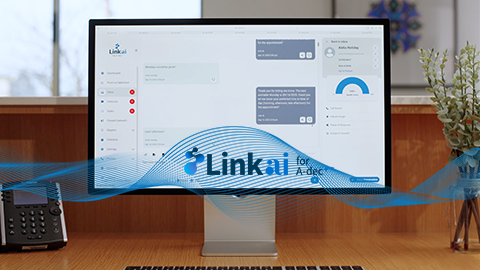
Link AI for A-dec+
Link AI brings data-driven solutions together in one seamless platform and even integrates with popular practice management systems.
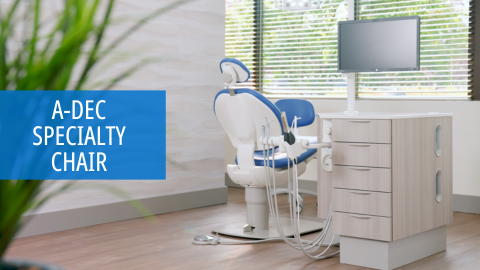
A-dec Specialty Chair
A-dec’s fixed-base specialty chair is made for orthodontics and other specialty practices. Designed for comfort. Built for long-lasting performance and reliability.
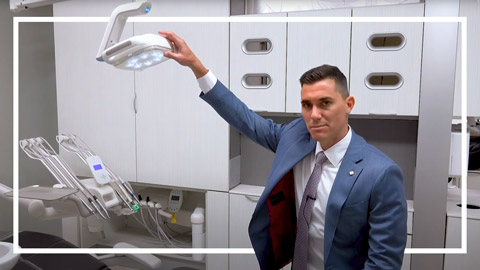
A-dec 500 LED Dental Light Overview
Review the innovative features of the A-dec 500 LED dental light.